
The best text to send with a wedding invitation has four parts: the guest’s name, a warm invitation, one clear action and the link. Keep the message brief, and put [Link] on its own final line. The invitation can carry the date, venue, schedule and RSVP.

The four-part wedding invitation text
Use this formula when you want to write your own:
- Name the invited person or group. Write
Hi Priya,Hi Priya and DanielorHi to the Shah family. - Say what you are sending. One sentence is enough:
We’re getting married and would love you there. - Give one action. Ask them to open the invitation and reply there by the stated date.
- Put the link on its own line. Do not place a full stop, comma or closing bracket after it.
Hi [Name], we’re getting married and would love you there. Open the invitation for the details and RSVP.
[Link]
This is the message around the invitation, not the wording inside it. Use the wedding invitation wording examples for the formal invitation itself, and the RSVP reminder guide when the deadline is close.
Match the message to who is invited
A small wording change can alter who appears to be invited. We’d love you there invites one person. We’d love you both there invites a named couple. We’d love the whole family there includes children. You and a guest offers a plus-one without guessing a name.
| Invitation scope | Clear words in the message |
|---|---|
| One person | We’d love you to join us |
| Named couple | We’d love you both to join us |
| Family with children | We’d love you and [children’s names] to join us |
| Plus-one included | We’d love you and a guest to join us |
| Civil ceremony only | Join us for the civil ceremony at [time] |
| Evening only | Join us for the evening celebration from [time] |
Repeat the scope inside the invitation. A carrier message can be forwarded or read quickly, so it should never be the only place where a guest learns whether their partner or children are included.
24 wedding invitation text messages to copy
Choose the message that matches the relationship and invitation scope. Replace the brackets, keep [Link] on its own line, then read the finished message once before sending it.
Find the message that fits the guest
Filter by relationship and invitation scope, or search for words such as family, guest, civil or travel. Copy the message, replace the brackets and paste the exact invitation link.
24 messages
- 01
Close friend
FriendsHi [Name], we’re getting married and would love you there. Your invitation includes the date, full details and a way to RSVP. [Link]
Natural in iMessage, WhatsApp or SMS.
- 02
Quiet and personal
FriendsHi [Name], here’s our wedding invitation. Open it when you have a quiet minute, then let us know if you can join us. [Link]
Useful when the opening is part of the invitation.
- 03
From both of you
FriendsHi [Name], a little note from both of us. We’d love to celebrate with you. The invitation has all the details and a way to RSVP. [Link]
Warm without sounding like a broadcast.
- 04
Short SMS
FriendsHi [Name], we’re getting married on [Date], and we hope you can join us. Please open the invitation and reply there by [RSVP date]. [Link]
Names the date while leaving the full plan in the invitation.
- 05
Parent
FamilyHi Mum, our wedding invitation is ready. We’d love you to celebrate with us. Open it for the details and to let us know whether you can come. [Link]
Change Mum to the name or family word you normally use.
- 06
Aunt and uncle
FamilyHi Aunt May and Uncle David, we’re getting married and would love to have you both with us. Your invitation and RSVP are here. [Link]
Name both people so the invitation scope is clear.
- 07
Sibling and partner
FamilyHi [Name] and [Partner], we’d love you both to celebrate with us. Open the invitation for all the details and reply when you’re ready. [Link]
Works in a conversation with both recipients.
- 08
Older relative
FamilyDear [Name], we would be very happy to celebrate our wedding with you. Please open the invitation below for the details and RSVP. [Link]
A warmer formal option for WhatsApp, text or email.
- 09
Colleague
FormalHello [Name], we’re pleased to invite you to our wedding on [Date]. The invitation includes the full details and a reply form. [Link]
Direct and suitable for a professional relationship.
- 10
Colleague and partner
FormalHello [Name] and [Partner], we would be delighted if you could join us for our wedding. Please open the invitation below for the details and to RSVP. [Link]
Use both names when both people are invited.
- 11
Family friend
FormalDear [Name], together with our families, we’d be delighted to welcome you to our wedding. Please open the invitation and reply by [RSVP date]. [Link]
Keeps a traditional tone without repeating the formal invitation.
- 12
Concise and reserved
FormalHello [Name], please find our wedding invitation below. We hope you can join us and would be grateful for your reply by [RSVP date]. [Link]
Suitable for SMS or the first line of an email.
- 13
One invited guest
HouseholdsHi [Name], we’d love you to join us for our wedding. The invitation below is for you and includes the full plan and RSVP. [Link]
Use singular words when the invitation is for one person.
- 14
Named couple
HouseholdsHi [Name] and [Partner], this invitation is for both of you. We’d love to celebrate together, so please open it and reply when you can. [Link]
Clearer than sending one person a message that only says you.
- 15
Family with children
HouseholdsHi [Adults’ names], we’d love you and [Children’s names] to join us for the wedding. Open the family invitation below for the details and to RSVP. [Link]
Name the children when possible.
- 16
Plus-one included
HouseholdsHi [Name], we’d love you and a guest to celebrate with us. The invitation explains the day. Please let us know whether you can both join us. [Link]
Offers a guest without assuming who they will bring.
- 17
Full day
Invitation scopeHi [Name], we’d love you with us for the ceremony, dinner and evening celebration. Open the invitation for the timings and RSVP. [Link]
States that the guest is invited to the whole day.
- 18
Civil ceremony
Invitation scopeHi [Name], we’d love you to join us for our civil ceremony at [Time]. Your invitation includes the location and a way to RSVP. [Link]
Use only when the invitation repeats the same scope.
- 19
Evening celebration
Invitation scopeHi [Name], we’d love you to join us for the evening celebration from [Time]. Open the invitation for the venue and RSVP. [Link]
Avoids implying that the invitation begins with the ceremony.
- 20
Adults invited
Invitation scopeHi [Names], we’d love you both to join us for the wedding. The invitation is addressed to the two of you and includes the RSVP. [Link]
State an adults-only policy fully inside the invitation as well.
- 21
Destination wedding
TravelHi [Name], we’re getting married in [Place] on [Date]. We know travel takes planning, so the invitation has the schedule, location and RSVP. [Link]
Useful when guests need the place and date at a glance.
- 22
Guest travelling abroad
TravelHi [Name], we’d love you with us in [Place]. Open the invitation for the local times, addresses and RSVP, then message us if you need to discuss travel. [Link]
Keeps travel questions separate from the formal reply.
- 23
Plans still being arranged
TravelHi [Name], our wedding invitation is ready, and we’d love you to join us. Open it for the confirmed date, main venue and a way to RSVP. We’ll send any later travel updates directly. [Link]
Use only when the details already shown are confirmed.
- 24
Easy-to-find email copy
TravelHello [Name], we’d love you to join us. We’re sending the invitation by email so you can find it again while planning your trip. It includes the date, venue and a way to RSVP. [Link]
Works well by email when a journey needs more planning.
SMS, iMessage, WhatsApp or email
Use the channel where you already speak to that guest. The wording can stay almost identical, but the status indicators are different.
| Channel | What to change | What the status can tell you |
|---|---|---|
| SMS | Identify yourselves if the guest may not have both numbers saved | It does not support iMessage read receipts |
| iMessage | Keep the message conversational and send to the invited person or pair | Delivered or Read refers to the message, and read receipts depend on both people using iMessage and the recipient’s setting |
| Use a direct conversation that matches the invited person, couple or household | Check marks concern the chat message. They do not prove that the invitation link was opened or the RSVP was completed | |
| Use a clear subject and send it from an address the guest will recognise | A sent email does not prove that the invitation link was opened |
Apple documents that iMessage read receipts can be switched off and are not supported for SMS. WhatsApp also lets people disable read receipts in one-to-one chats. Treat any receipt as a message status, not as an invitation analytics tool.
Individual message or group chat
Send the invitation to one person or to a small conversation that exactly matches the invited unit. A chat with Priya and Daniel works when both are invited. An event-wide group makes it harder to tell whether partners, children or guests are included, and the link can disappear among replies.
Do not create a new social group merely to deliver the invitation. Use the conversation you already have with them.
Test the link before you send it
Copy the exact link you plan to send and open it on a second device or in a private browser window. Check the invitation as a guest, not from the editor.

- Confirm that the intended invitation opens.
- Read the names, date, venue and invitation scope.
- Tap the RSVP action and check the deadline.
- Return to the message and confirm that
[Link]has no trailing punctuation. - Send one test to someone you trust before working through the guest list.
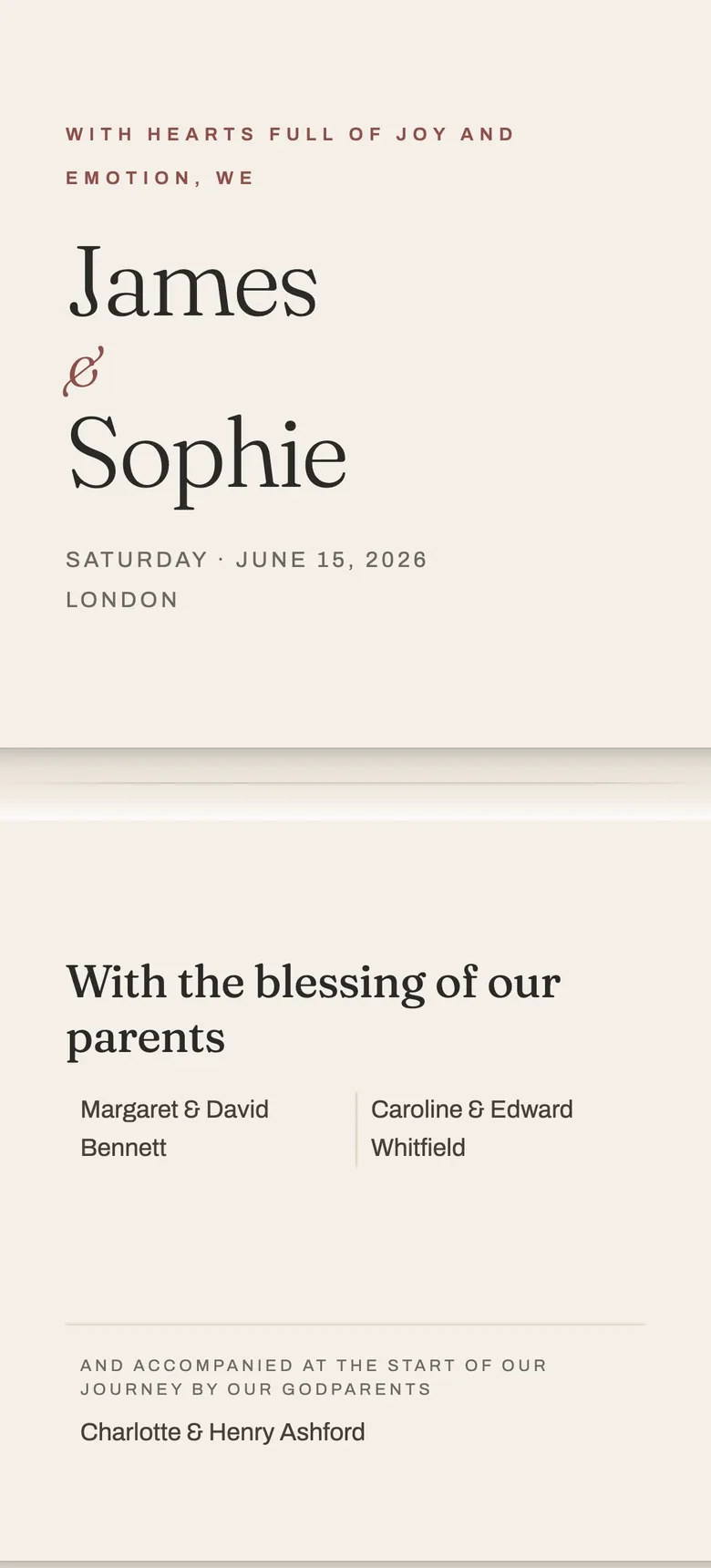
The catalogue preview shows how the template looks and opens. It is not a couple’s guest link and does not save a reply.
Keep timing and reminders separate
This page owns the message that carries the first invitation link. Use when to send wedding invitations for the calendar, and what to do when guests do not reply for the follow-up. Saventify gives you the invitation link and RSVP. You send the message yourself through the channel that suits each guest.
Questions about texting a wedding invitation
If it were our wedding, we would choose one base message, then change the greeting and scope for every invited unit. We would test the exact link on a second phone before sending the first one.
Choose the invitation before you write the message
Choose a template, add the details and RSVP, then copy its link into the message that fits each guest.
Open Le Pli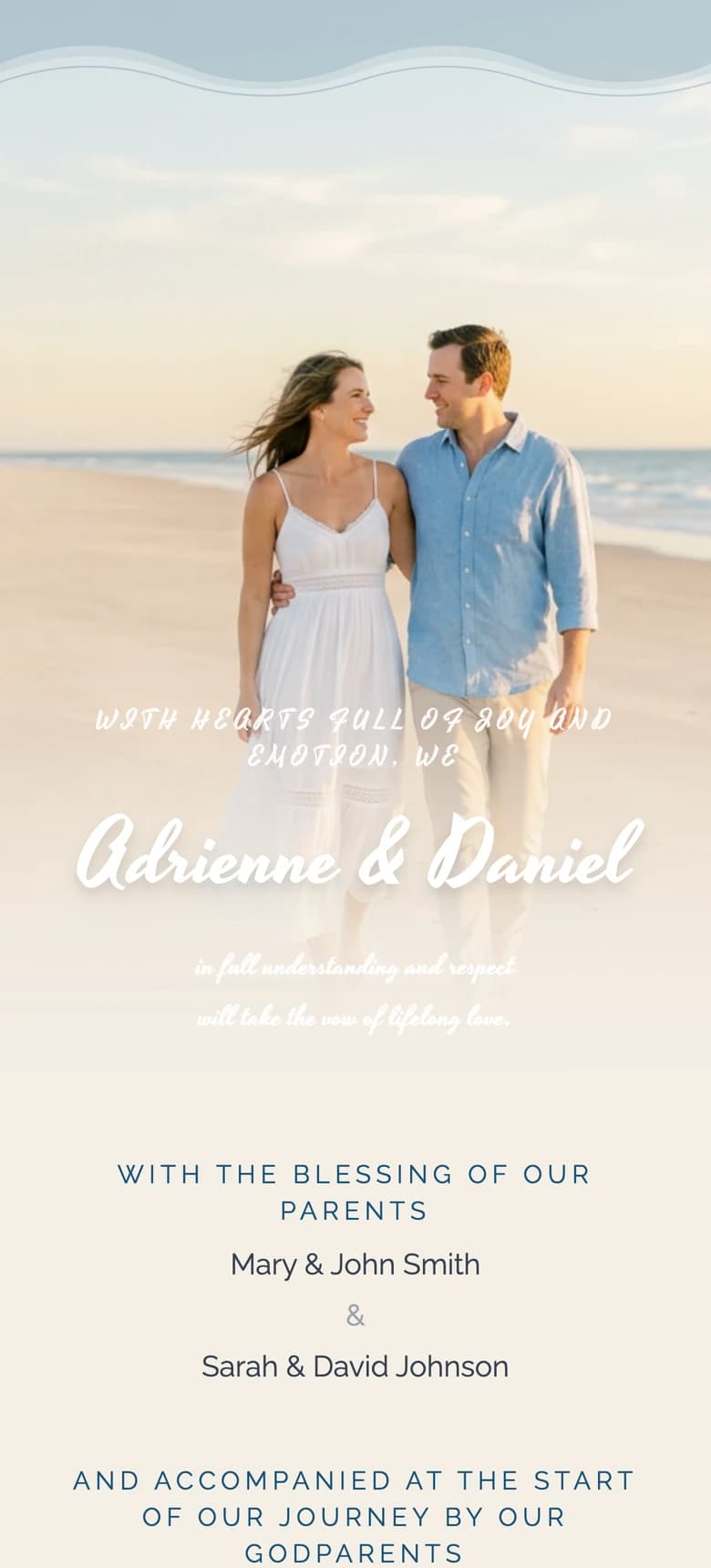

About the author
Wedding invitations, RSVP and save the date
Larisa writes the Saventify wedding guides. She covers digital invitations, save the dates, RSVP, guest lists and the templates couples actually send.
All articles by Larisa