
Authors
- Larisa
Wedding invitations, RSVP and save the date

By the RSVP deadline, most couples cannot say with confidence how many people are coming. Not because guests did not reply, but because the replies landed in six different places and no one wrote them all down. RSVP tracking is not hard. It is just easy to do badly, and the bad version costs you sleep and a final-numbers panic with the caterer.
The core rule: one place, not five
A reply by text, a voicemail, a comment under a photo, a relative relaying numbers at lunch, and a half-updated spreadsheet are five sources of truth, which means zero sources of truth. Pick one place where every RSVP lands and route everything to it.
A digital invitation does this for you. The RSVP lives inside the invitation, so every reply, attending or not, arrives in the same dashboard automatically. Nothing to transcribe, nothing to lose.

Collect the right detail, not just yes or no
A reply that only says "coming" creates more work later. Collect everything you will need for catering and seating at the moment a guest replies:
- Headcount: how many people that RSVP covers
- Dietary notes: allergies, vegetarian, vegan, anything the kitchen needs
- Plus-one name: so your seating plan has real names, not "Tom plus guest"
- A message: guests love leaving one, and you will love reading them
Collecting this at RSVP time means you never have to go back and ask.
Match RSVPs to your guest list
Keep the guest list and RSVP dashboard as the source of truth. The message around the invitation link should name the invited person, couple or household so the scope is clear before they open it.
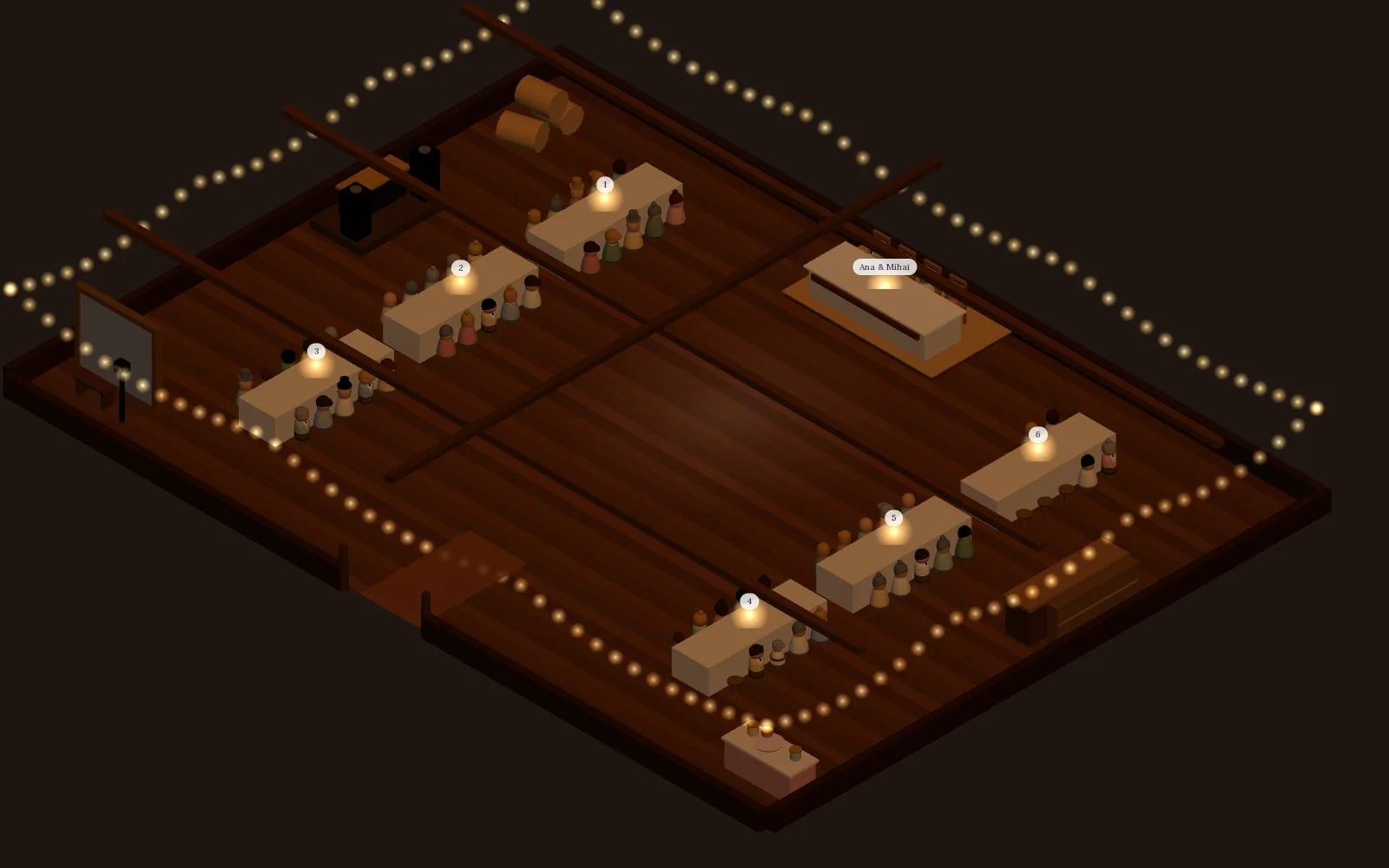
Visual table planner
Seat every confirmed guest without retyping a name
Saventify collects plus-one names and headcounts at reply time, so the visual table planner already knows everyone who is coming. Drag each guest onto a chair in a 3D room drawn to scale, or auto-seat them with each party kept together, and watch the count of guests still standing fall to zero. Included in the one-time price of the invitation, with no separate seating app to buy.
Included with every published invitation
Set a deadline, then a buffer
Set the RSVP deadline two to three weeks before the wedding, and privately treat it as a few days earlier than that. The buffer absorbs the late repliers who always appear. Put the deadline clearly inside the invitation, not buried at the bottom. The timing logic is in when to send wedding invitations.
Chase, once, kindly
When the deadline passes you will still have gaps. That is normal. Send one warm nudge to the non-repliers, not a guilt trip and not five reminders. The full approach, including the few who never reply at all, is in what to do about guests who do not reply.
Watch the running number
The point of tracking is a number you trust. Keep an eye on your expected headcount as replies come in, so there are no surprises at the deadline.
Once your real numbers settle, that figure drives the catering order and the seating plan. From here, the next step is the seating chart, and the whole system sits in our guest list and RSVP guide.
Collect RSVPs in one place
An invitation with built-in RSVP: headcount, dietary notes and messages land in one dashboard, in real time.
Create your invitation

About the author
Wedding invitations, RSVP and save the date
Larisa writes the Saventify wedding guides. She covers digital invitations, save the dates, RSVP, guest lists and the templates couples actually send.
All articles by Larisa