

The guest list is the most emotional spreadsheet you will ever make and the one that quietly decides your budget. Every name is a plate, a chair, and a slice of the bar tab. Get the list right and the rest of the planning has a shape. Get it wrong and you are renegotiating with the caterer in week thirty-eight.
This is the system we have watched work, from first draft to seating plan, with each step linked out in full.
Start with the number, not the names
Before you write a single name, agree on a ceiling. Your venue capacity and your budget set it, and the guest list lives inside it. Couples who start by listing everyone they have ever met end up cutting people, which is far more painful than building up to a number you already chose.
Once you have a target, build the list in tiers: people who must be there, people you would love to have, and people you would invite if space and budget allow. We break the whole method down in how to make a wedding guest list.
Translate the list into a realistic headcount
Not everyone you invite will come. Local weddings tend to see most invitees attend, destinations far fewer. Use a reply rate to turn your invite count into an expected headcount, and a table count.
Drag the reply rate to match your wedding. A local celebration might see 85 percent of invitees attend, a destination closer to 60. That expected number, not your invite count, is what you plan the room and the catering around.
Collect RSVPs in one place
The classic failure is collecting replies in five places at once: texts, voicemails, a comment under a photo, a relative relaying numbers, and a half-finished spreadsheet. By the deadline you genuinely do not know your headcount.
A digital invitation fixes this by collecting every reply in one dashboard: who is coming, how many, dietary notes, and a message. No transcribing, no double-counting. The full method is in how to track wedding RSVPs.

The two hard problems: plus-ones and non-repliers
These are where the guest list gets uncomfortable.
Plus-ones are a budget and etiquette question at once. A clear, consistent rule saves you a dozen awkward conversations. We give you one in how to handle plus-ones.
Non-repliers are inevitable. A few guests will always go quiet past the deadline. There is a calm, non-naggy way to chase them, and we lay it out in what to do about guests who do not reply.
A clean RSVP is a clean seating plan
The detail you collect at RSVP, full names, headcount, dietary notes, is exactly the data you need to seat people later. Collect it well once and the seating chart almost builds itself.
Turn replies into a seating plan
Once the replies are in, the list becomes a room. Who sits with whom, how many tables you need, where the family politics go. Doing this with confirmed numbers, rather than guesses, is the whole reason the RSVP discipline matters. See wedding seating chart and table planning.
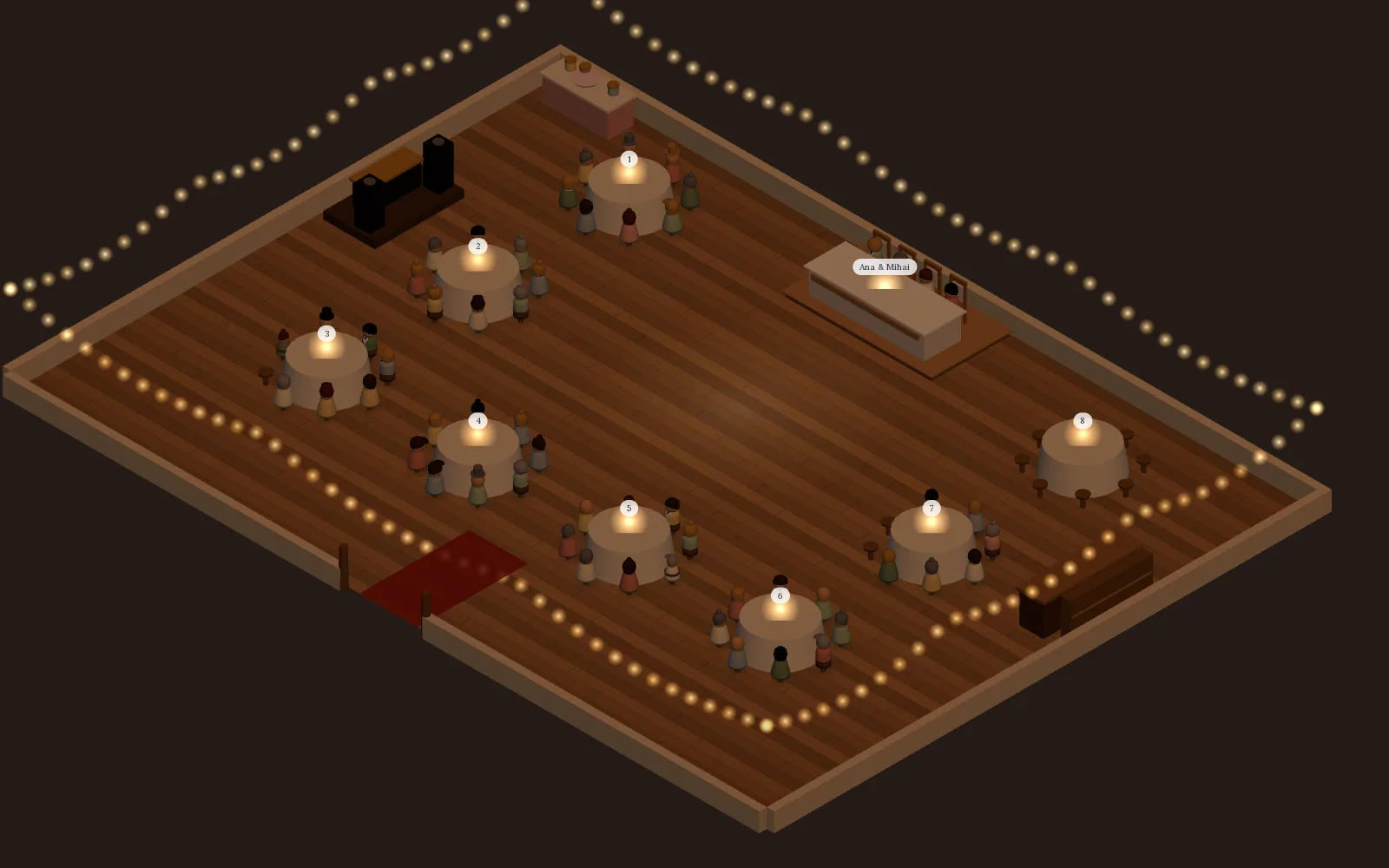
Visual table planner
Your confirmed guests, seated in a 3D room of your venue
Saventify's visual table planner picks up where the RSVP list stops. Drag each confirmed guest onto a chair at round or long tables drawn to your venue's real size, and the table each family ends up at is added to your guest Excel. Included in the one-time price of the invitation, with no separate seating app to buy.
Included with every published invitation
The order it all happens
| Stage | What you are doing | Read |
|---|---|---|
| 1 | Set a number and build the list in tiers | Make a guest list |
| 2 | Decide your plus-one rule | Handle plus-ones |
| 3 | Send invitations, collect RSVPs in one place | Track RSVPs |
| 4 | Chase the stragglers, finalise numbers | Guests who do not reply |
| 5 | Build the seating plan from confirmed guests | Seating chart |
The RSVP itself lives inside your invitation, so this whole system starts with the invitation you send. Our digital wedding invitations guide covers that side, and your planning timeline tells you when each stage should happen.
The short version
- Choose a number first, then build the list in tiers
- Plan around your expected headcount, not your invite count
- Collect every reply in one place, never five
- Set one clear plus-one rule and hold it
- Build the seating plan from confirmed guests, not hopes
When you are ready to send and start collecting replies, begin with the invitation.
Start your invitation and RSVP
Pick a template, switch on the RSVP, and watch confirmations arrive in real time, organised and countable.
Browse the templates

About the author
Wedding invitations, RSVP and save the date
Larisa writes the Saventify wedding guides. She covers digital invitations, save the dates, RSVP, guest lists and the templates couples actually send.
All articles by Larisa