

Wedding table planner. See your wedding room before the wedding.
Every guest who says yes on your invitation appears in a 3D room drawn to scale. Drag guests onto chairs, move the tables, dim the lights, and hand the venue a plan you have already seen.
Part of the one-time price. No extra tier, no seating app to buy.
- room styles
- 5
- table shapes
- 3
- venue pieces
- 8
Wedding seating with Saventify, in short
- What it does
- Seats your confirmed guests at tables in a 3D room drawn to scale, right in the browser.
- Who it is for
- Couples with a published Saventify invitation, and anyone they invited to edit it: a partner, a parent, a planner.
- How it works
- Pick a room, place round tables, long tables and the head table, then drag each party onto chairs or seat everyone left in one tap.
- Link to your RSVPs
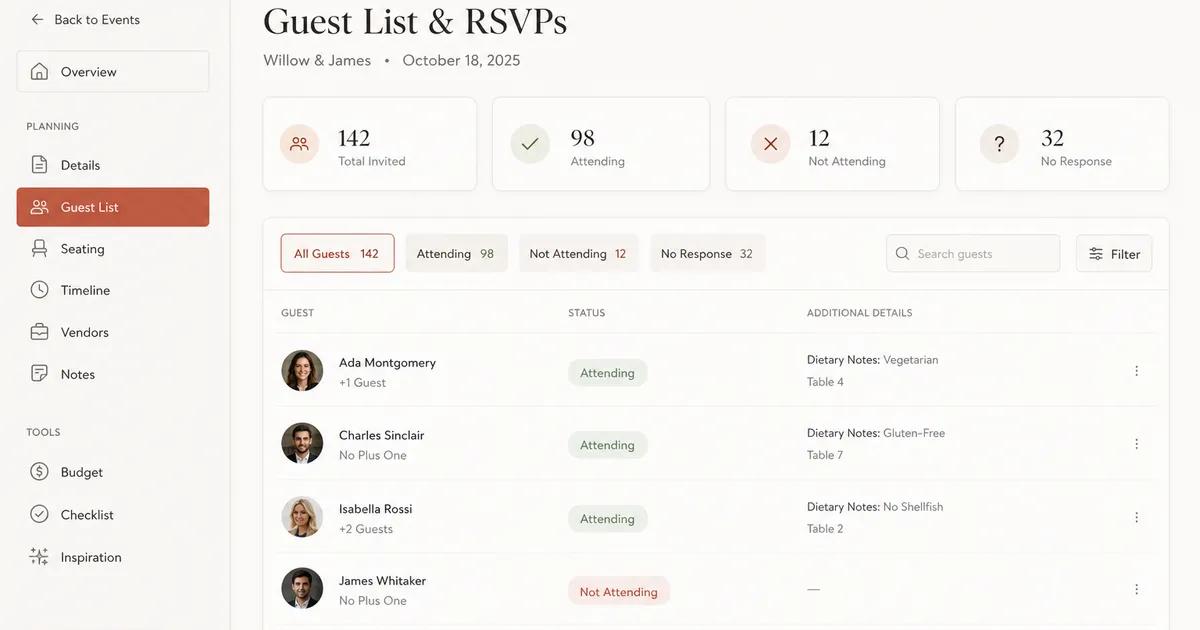
- Guests who reply yes on the invitation appear in the plan with the plus-ones and children they named. Nobody is typed in twice.
- What you take to the venue
- A saved picture of the room and the guest Excel export with each family's table.
- Cost
- Included in the one-time invitation price. No subscription and no separate seating plan to buy.
From reply to seat
The guest list you already have, in a room.
- 01
Guests reply on the invitation
Yes, no, plus-ones, children and meal notes arrive from the same link you sent. Nothing to import.
- 02
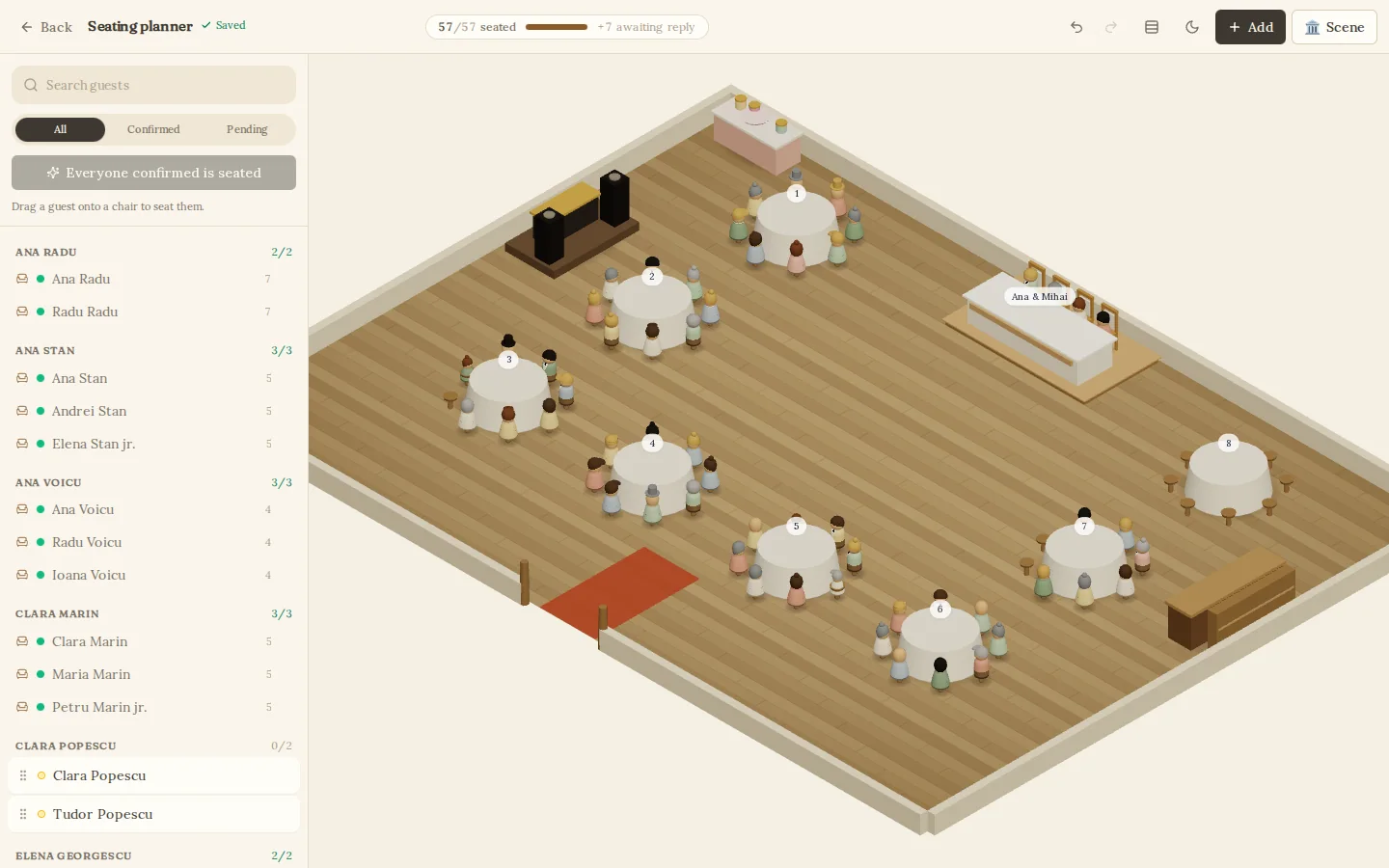
Confirmed parties wait by the door
Everyone who said yes shows up in the planner as a family, not a spreadsheet row. Guests still deciding wait aside without taking a chair.
- 03
Drag a guest onto a chair
Drop a guest on any chair, or seat everyone still standing with one tap that keeps parties together. A counter shows how many confirmed guests are still standing.
Step by step
How to plan wedding seating in six steps.
Start once the RSVP deadline has passed and the headcount is final. Seat the couple's table first, then close family, then everyone else in groups who already know each other. Keep each party together, check the tables fit the room, and send the venue a table list one to two weeks before the wedding.
Who sits at the head table, how many tables you need and what the venue asks for are all in the full guide.
Read the wedding seating guideClose the replies first
Seat people only after the RSVP deadline. In the planner, only guests who said yes take a chair. Anyone still deciding waits to one side.
Set up the room before the names
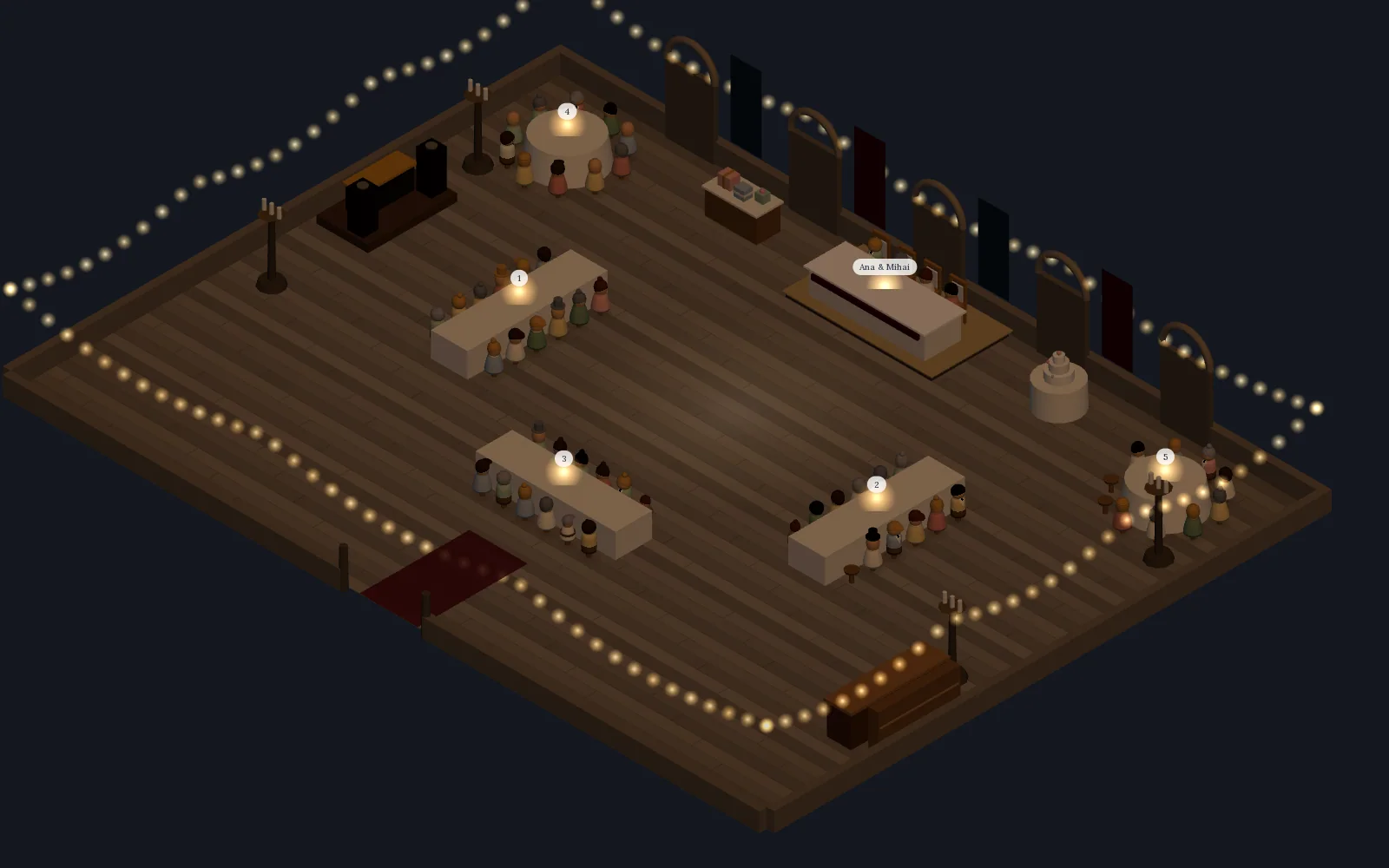
Pick the room closest to your venue. The dance floor and the couple's table are already in place; you add the tables, bar, DJ booth and cake at scale and see at once whether they fit.
Start with the head table
Decide who sits with you: just the two of you, the wedding party or your parents. The head table seats two to twelve, and close family takes the tables nearest to it.
Keep each party together
Every reply arrives as one party. Drag it onto a table, or seat everyone left in one tap and each family stays together.
Group the rest by who knows whom
Dancers near the floor, older guests away from the speakers, young children beside their parents. A round table usually takes eight to ten guests, and every table in the planner holds up to twelve.
Send the venue a table list
The final plan goes to the venue one to two weeks before the wedding. Export the guest list to Excel with each family's table and save a picture of the room for the venue manager.
Five rooms, drawn to scale
Pick the room that looks like your venue.
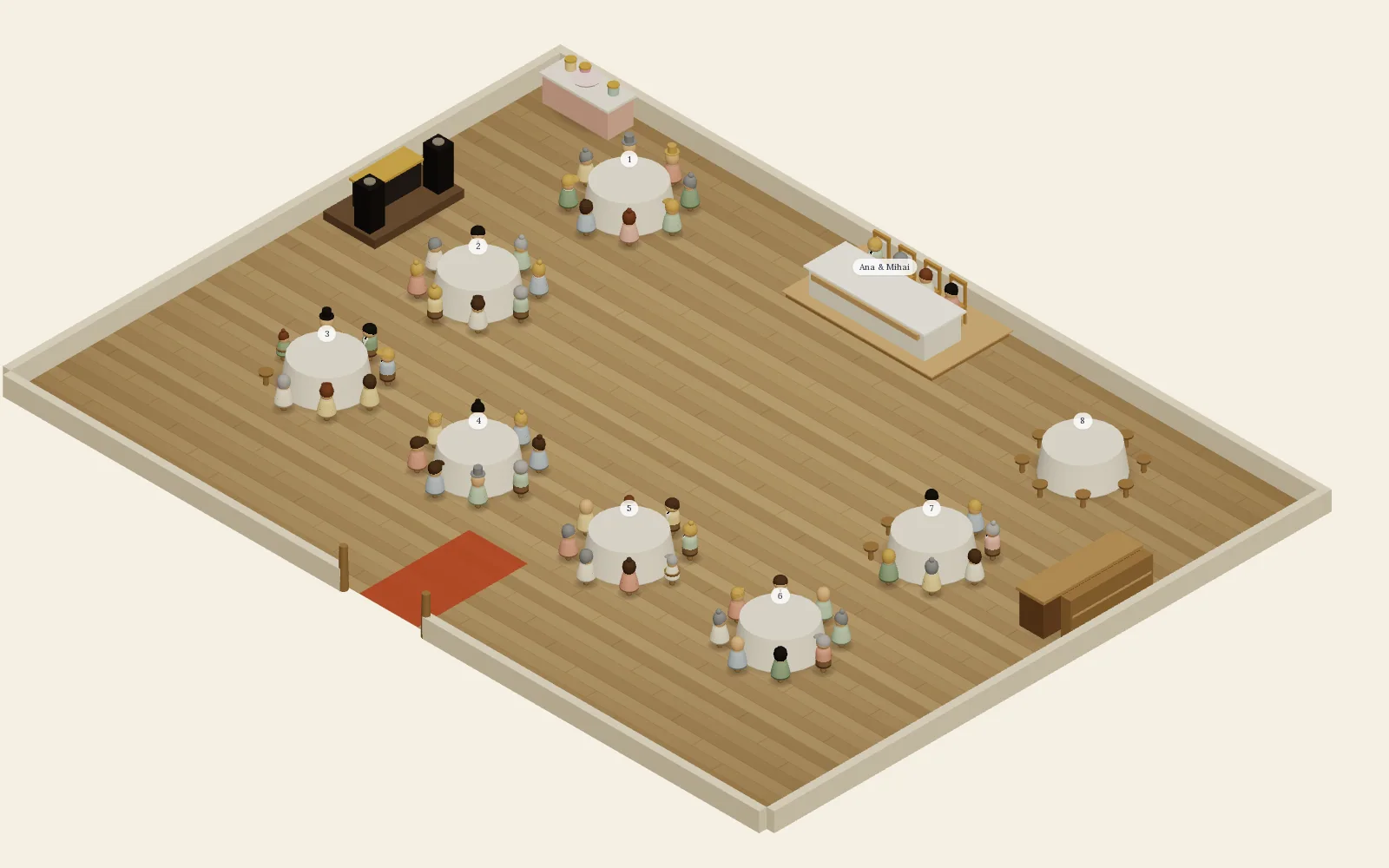
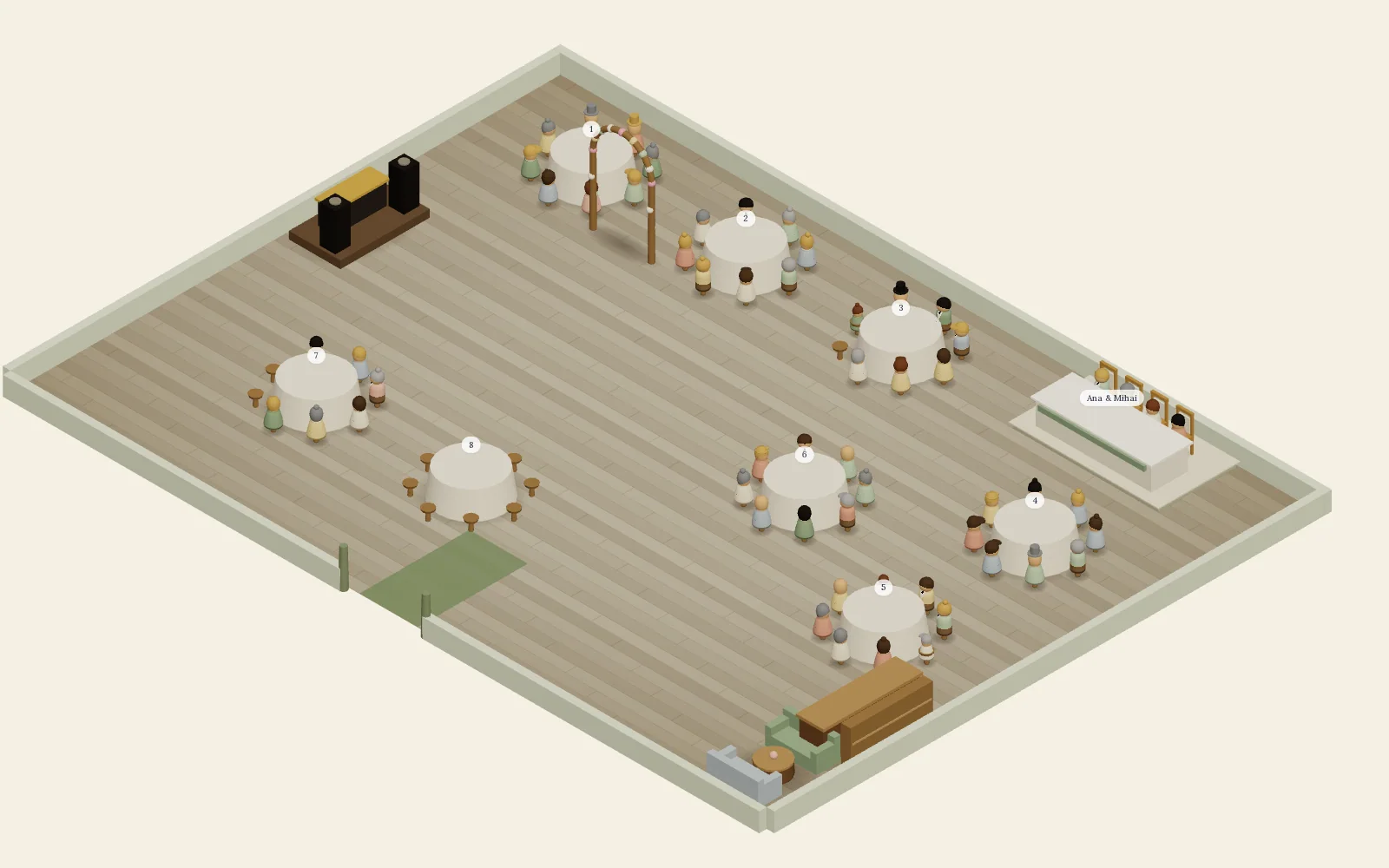
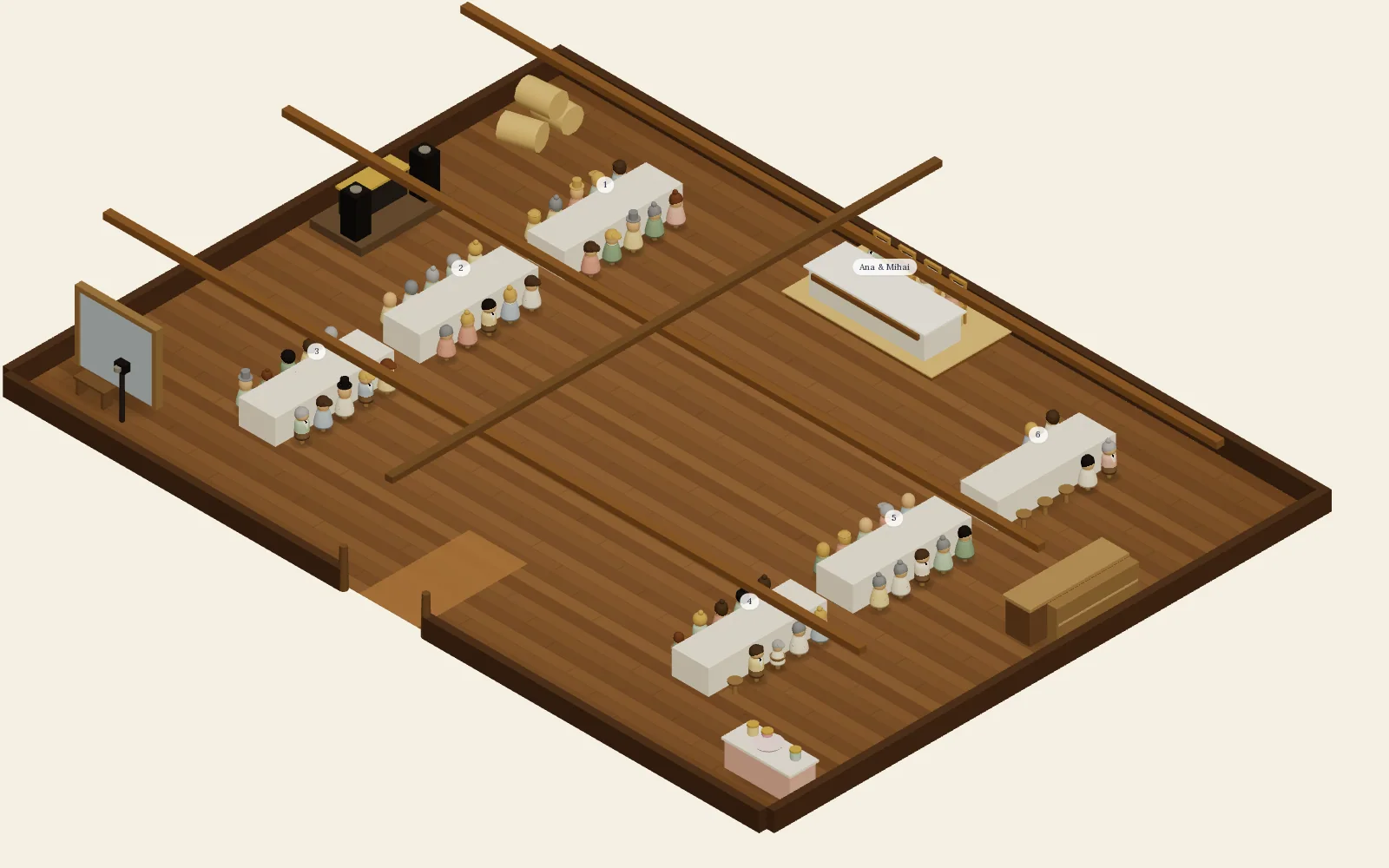
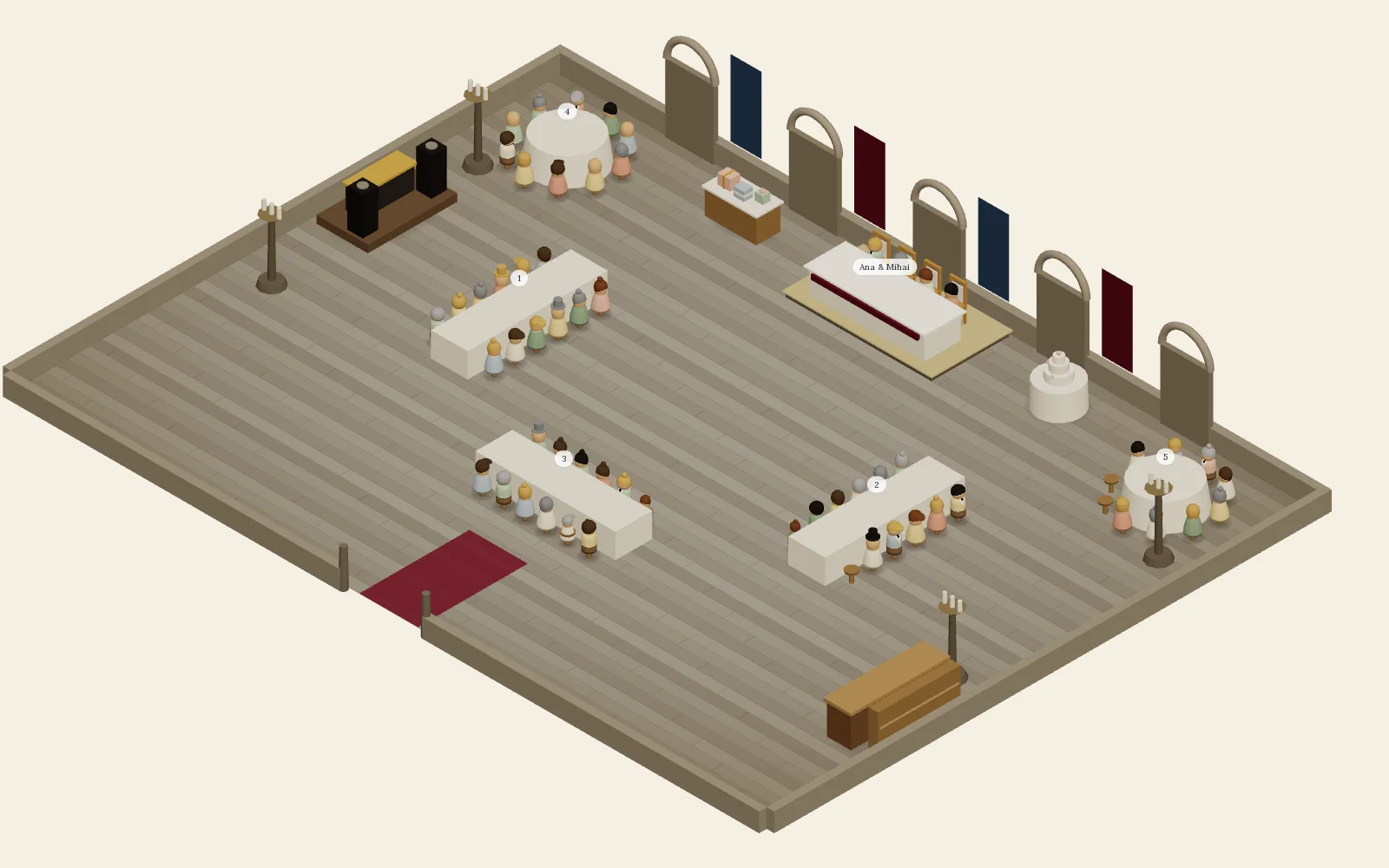
A classic ballroom, a garden pavilion, a rustic barn, a seaside terrace or a castle hall. Each comes with a dance floor and the couple's table where you would expect them; you place your own tables, bar, DJ and cake.
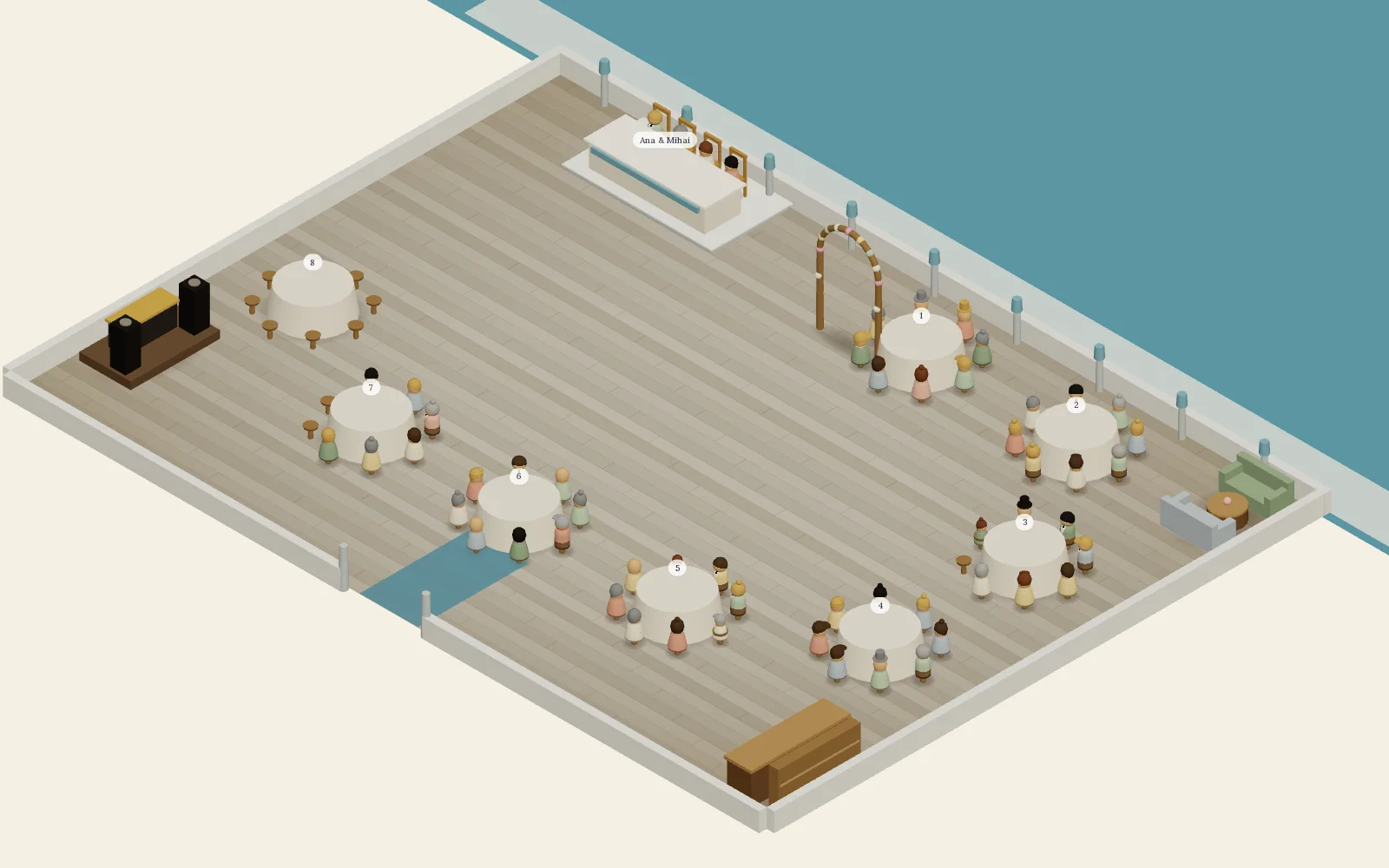
Classic ballroom
Head table on the presidium, round tables framing the dance floor, DJ and bar facing each other.
Every room here is the real planner, captured with sample guests.
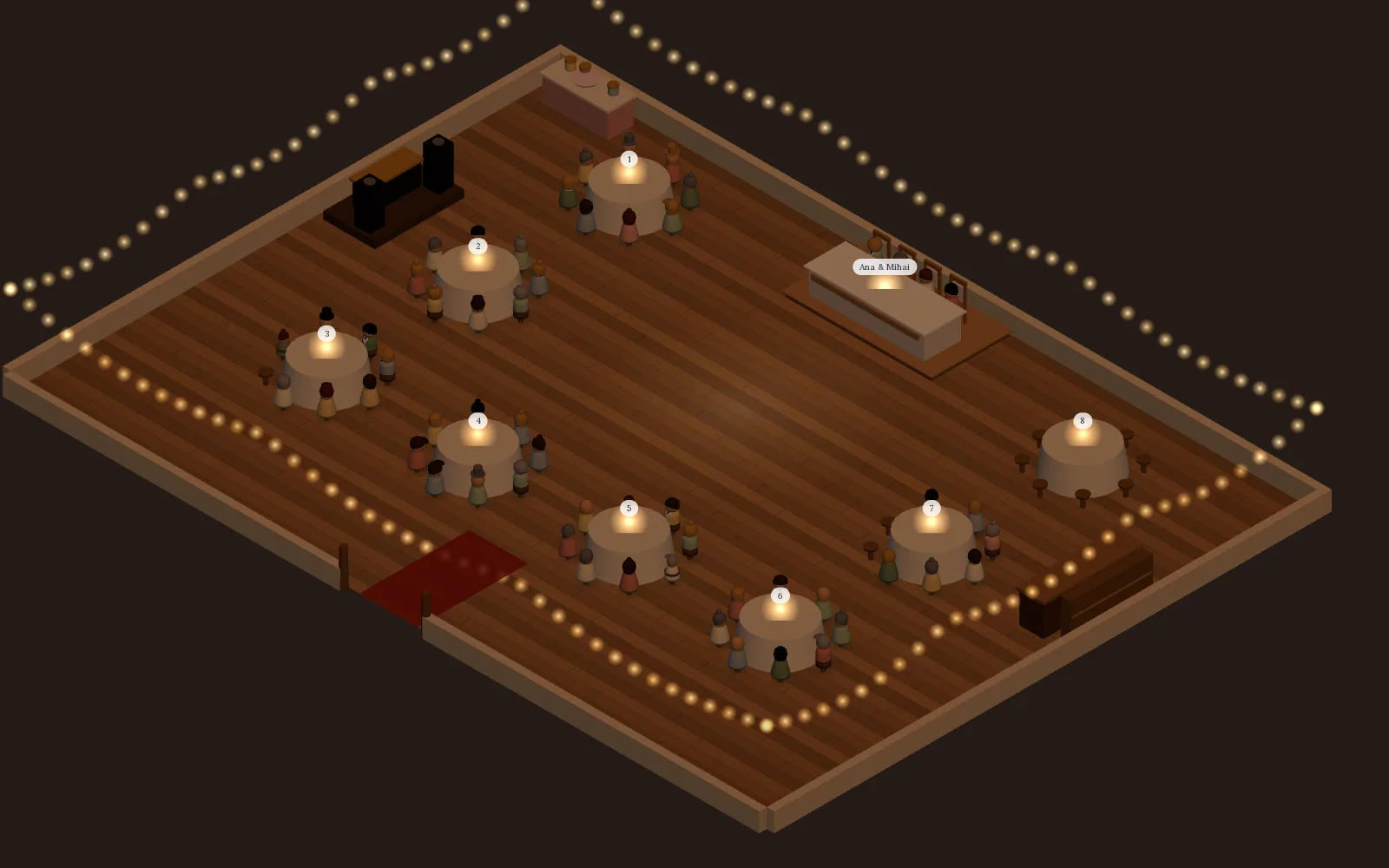
Day and evening
Dim the lights and see the party.
One tap turns daylight into the evening the room will actually have: string lights along the walls, candles on the tables. Drag the handle to compare.
What you get
Built for the two of you, not for a coordinator.
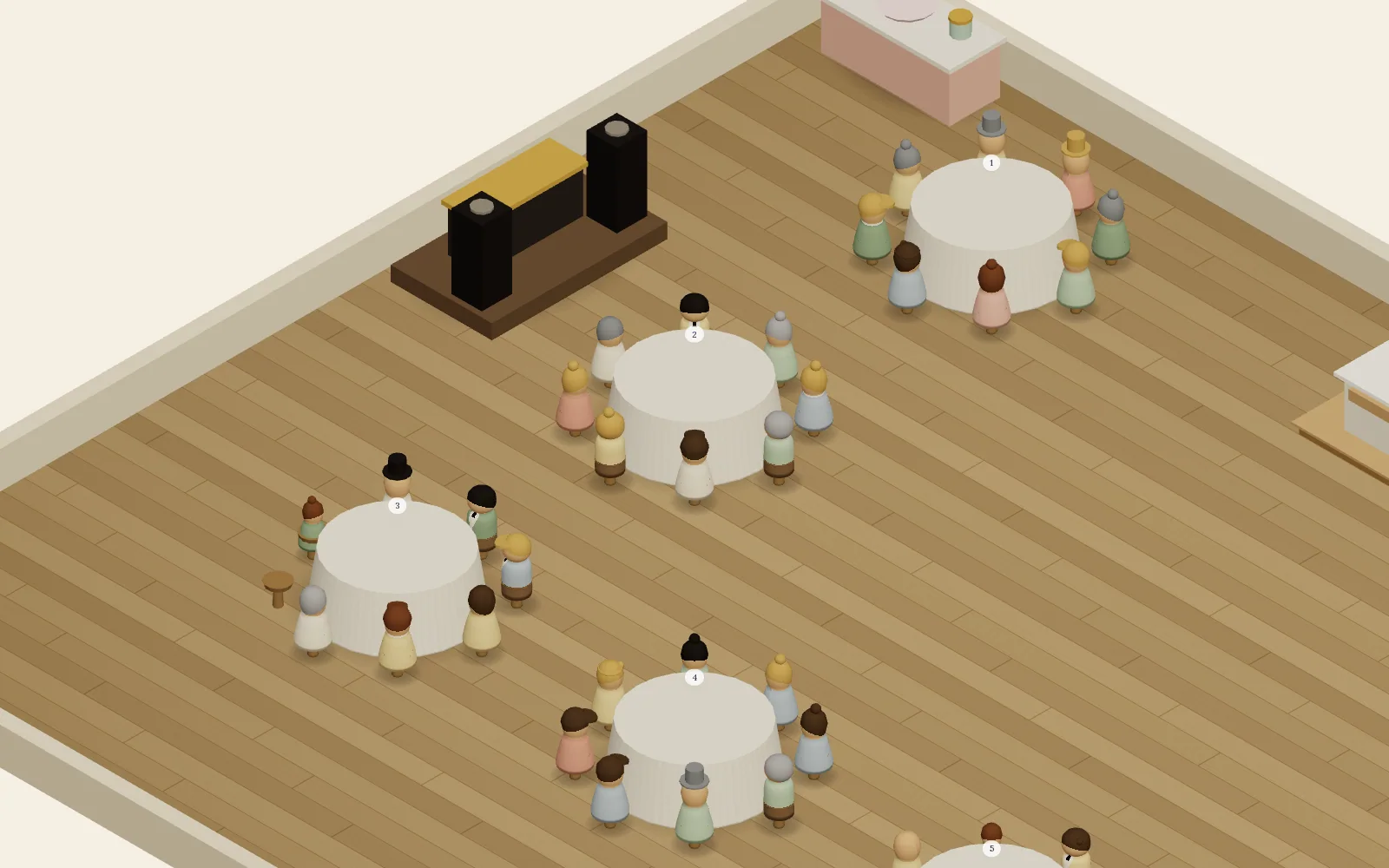
Drag guests onto chairs, or seat them all at once
Pick a guest from the list and a ghost shows the chair before you let go. One tap seats everyone still standing, keeping each party together, and every move can be undone.
Seated versus confirmed
The toolbar counts seated guests against confirmed replies and warns you when there are more people than chairs.
Round, long and head tables
Up to twelve seats each, plus a bar, DJ booth, cake, gift table, candy bar, photo corner, lounge and arch, all placed to scale.
Plan it together
Whoever you invited to edit the invitation can move guests in the same plan. Your partner, your mother, your planner.
A picture of the room
Save the finished plan as an image, in daylight or evening, and send it to the venue or the family group.
The table column in your Excel
The guest export gains a table-planning sheet: each family, its headcount, adults and children, and the table they sit at.
Spreadsheet or room
Your seating spreadsheet, turned into a room.
For sixty guests, a spreadsheet with a table column is enough. From about a hundred, once people start moving between tables, a room drawn to scale shows what the spreadsheet cannot: whether the tables fit and who is still without a seat.
| What you track | Spreadsheet or paper | Saventify table planner |
|---|---|---|
| Confirmed guests | Copied in by hand after every reply | Appear in the plan as soon as they reply |
| Whether the tables fit | Guessed from the venue's stated capacity | Visible in a room drawn to scale |
| Who still has no seat | Counted with formulas | A counter of seated versus confirmed guests |
| Families seated together | Rows moved one at a time | One tap seats everyone left, party by party |
| Planning as a couple | Versions sent back and forth | One shared plan for everyone with edit access |
| What the venue receives | The spreadsheet as it stands | A picture of the room and an Excel sheet with each family's table |
Good to know
What leaves the planner, and what does not yet.
We would rather you know this before your wedding week than after it.
Ready today
- A saved picture of the finished room
- The Excel guest list with a table column
- Your plan, editable until the day
Not yet
- Printable floor-plan PDFs for the entrance
- Place cards and alphabetical table lists
- Caterer reports with per-table dietary totals
Included
One price, the planner is in it.
Pay once for the invitation and the RSVP. The table planner opens the moment your invitation is published, for every couple, with no seating add-on.
The planner opens when your invitation is published.
Questions
About the table planner.
Is the seating planner included in the price?
Yes. Every couple with a published Saventify invitation gets the visual table planner at no extra cost. There is no seating tier and no separate subscription.
Is there an app for wedding seating?
The Saventify table planner runs in the browser, so there is nothing to install. It is part of your invitation: open the published invitation, start the seating plan and drag your confirmed guests onto chairs. Changes save as you go.
How do guests get into the planner?
Through their reply. When a guest confirms on your invitation, their party appears in the planner's guest list with plus-ones, children and meal notes. You never re-enter names.
How many guests fit at one table?
Round tables take six to twelve chairs, and long tables and the head table two to twelve. One room holds up to sixty tables. Eight to ten guests per round table is the usual wedding setup.
Can I set up a head table?
Yes. The head table is its own table shape and seats two to twelve. Seat just the two of you, add the wedding party, or bring in your parents, then give close family the tables nearest to it.
Do families stay together?
Yes. Each reply arrives in the plan as one party with its plus-ones and children. Drag a party onto a table, or seat everyone left in one tap and each family stays together. Any move can be undone.
Can my partner or planner edit the plan?
Yes. Anyone you have invited to edit the invitation can open the seating plan with the same permissions. Changes save automatically.
Does it work on a phone?
Yes. The room is rendered in 3D in the browser and works on phones, tablets and laptops. On smaller screens the guest list slides in as a sheet and the room fills the screen.
Can I print the seating chart?
Today you can save a picture of the finished room and export the guest list to Excel with each family's table. Printable floor-plan PDFs, place cards and caterer reports are not part of the planner yet.
Can I try it before paying?
Yes. The live demo on this page is the real planner with sample guests. Your own plan opens once your invitation is published.
From the blog
Read next

Wedding Seating Chart and Table Plan: Who Sits Where, How Many Tables, When to Finalise
The complete UK guide to the wedding table plan: the traditional top table order and its alternatives, how many guests fit at a 5ft or 6ft round and a trestle, how much room you need, divorced parents, children, plus-ones, suppliers, and exactly what to hand the venue.
Wedding Guest List and RSVP Management: The Full Guide
How to build a guest list, track RSVPs without a spreadsheet meltdown, handle plus-ones, and turn replies into a seating plan. The complete system, linked throughout.

Canva Wedding Invitation or a Ready-Made One? What Each Takes
What a moving Canva wedding invitation with RSVP involves, when Canva is the right tool, and when a ready-made interactive invitation is the shorter path.
Ready when your replies are
Send the invitation now, seat them when they say yes.
Start with the invitation and the RSVP. The room is waiting for the moment your guest list is final.